Showing posts with label Googlepack. Show all posts

Google helps to combat spam

Spam is the big problem everyone has when dealing with email. It is so easy to send email to other people that spammers have used the opportunity to send unintended messages to everyone in the planet. It is known that around 80% of the emails in the world are just spam.

Google is fighting hard aggains spammers. Its flagship email service, Gmail, has been effective in maintaining inboxes clean from spam.

Google has a software package, Googlepack, which can help your computer run much better, despite of the widespread viruses and malicious emails. You should download Googlepack today.


Google is also collaborating with legislators. According to the Google blog, spammers that use the system to improve stock prices will be hurted. Stocks with such problems can be take of the market. It is only a beginning, but it is a good initiative from the market and institutions that should not tolerate spam anymore.

It is good to see that Google is doing its part. Users should also do its part and report spam frequently. This is the best way to keep our inboxes clean.

Using Google Search More Effectively

Google is the king of the web search sites out there. It is also used by millions of people to find what they need on the Internet. However, despite its wide use, Google is still not used to its full potential by most people. Many use it only to do basic search, while Google is capable of much more.

Search Operators

The main feature of Google is standard search: you type the term you are interested in, click the search button, and Google returns the search results that best match your query. This is the way that millions of people perform search on this web site.

However, few people know that Google can return you much more information. You just need to ask for it. An to ask for more information with Google, you can use search operators, which will make your life much easier.

Examples of Search Operators

There are several search operators that you can use with Google. The one that I find to be most useful is the "site:" operator. You can use the keyword "site:", followed by the name of a web domain, to find information contained specifically in that web site.

Suppose for example that you want to find a list of jobs available at Google. You can do that easily by using the term your are searching (jobs), together with the "site:" keyword, and the domain google.com. Your query will then look something like this:

jobs site:google.com

You can use the same strategy in any web sites. For example, if you want to see how many times I mentioned for example "googlepack" in this website, you can look for

googlepack site:all-about-google.blogspot.com

Which will return several pages.

List of operators

This is an incomplete list of operators, with the ones that I find most useful

allintitle: this operator allows one to find the web sites with the words you are looking for in the title. It helps to focus you search even more, since these are supposed to be specialized websites.

link: this operator, when followed by a web site address, will return all the pages that link to that site. It is good if you are trying to find who links to your page, for example.

allinurl: this is similar to allintitle, but it will find the pages where the keyword you are looking for appears in the URL, that is, the complete address of the site you are looking for.

define: this one can be used to find specifically a definition for the keyword you want to search. This will usually return information from dictionaries, and other reference material available on the web.

Google Improves Firefox Toolbar

The Google toolbar provides very handy options for web users, and is nowadays almost a required piece of software for PC users (if you don't have it, I recommend the download of the GooglePack, which includes the Google toolbar among other things).


BookmarksThe Google toolbar exists or IE and for Firefox, but the Firefox version has long been behind the IE version. Google is now using the oportunity not only to improve the Firefox version of the toolbar, but also to provide more options, which will be welcome by users.
One of the innovative functions of the toolbar is to open MS Office files directly on Google Docs & Spreadsheets. In the past, you had to first to copy files to the desktop and then import those files on the Google Docs web site. This is not necessary anymore, as the toolbar will handle this automatically.

This is the most interesting download of the day: go ahead and get the new Google toolbar for Firefox.

Link

Related links:
GooglePack is available
Google Bar is updated

Technorati Tags: ,

GooglePack - content and usage

From all posts I wrote about Google, the most accessed is the one about the Googlepack. If you don't remember, the Googlepack is the set of applications that Google provides for Windows users, as a way of providing a "patch" for the normally broken Windows installation.

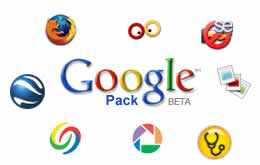
So, what is the Googlepack composed of? There are several utilities, among them an antivirus, web browser, adware removal, a Google toolbar, and other organizers. Here is a list of the ones that I think are the most important software in the Googlepack:

  • Firefox: the king of the alternative browsers is the best way to view web content. It is recommended by Google and it is part of the package.
  • Google Earth: how never got impressed in seeing their own house on Google Earth? This is a breath taking application, where you can see the whole world, your own city, or a place that you are going to visit next week. I think is one of the best applications around, and it is nice that you can have access to it in the Googlepack.
  • Picasa: this is the main picture organizer provided by Google. It has a lot of nice features, that make it possible to give some order to the thousands of pictures we have in our computers. It performs the same function on Windows that the iPhoto does so well in the Mac. Given this "whole" in the Windows offer, nothing better than having something free to fill the gap.
  • Google desktop: this is a piece of software that is aimed directly at a weakness of Windows. It gives users the change to search files in their desktops with the same easy with which they can find files in the Internet with Google.
  • Googlepack screen saver: see the nice pictures that we took on the desktop, using several effects. It is not essential, but is nice to have.
  • Adware SE Personal: gives you a way of protecting your computer against the nasty adware that you find in may pages nowadays.
  • Norton Antivirus: the Googlepack even comes with its own antivirus, a free version of Norton. It will not last forever (only one year), but it can go a long way into protecting your computer.
The best thing about the Googlepack, however, is that it automatically installs and updates all these applications. You don't have to worry about getting the latest versions, the Googlepack will do this for you. Although it is possible to get all these programs for free, it is hard to keep track of the updates -- the Googlepack allows you to forget about this, and have your software updated automatically.

Technorati Tags: , ,

Google release is not too little, it is just enough

More about the Googlepack and Larry Page's talk on CES. Some people have complained that the announcement was not anything great as was advertised by the media and the Blogosphere. For example

Some bloggers got busy offering their takes on the new video service and software package. Others, however, seemed uninspired in a collective, "That's it? What was all the hype about?"


What most people forget, however, is that it would be really strange if Google acted different this time. This company is not about big annoucements, as Microsoft and Apple are very well known to do. Google has always been building things silently and releasing them without warnings.

This is the reason I think Larry Page did only what he was supposed to do, not what the media want the hear from him. It is better that Google keep this way, and let the good stuff appear when it is ready, instead of rushing it for no good reason.

Technorati tags: ,


Related links:
Google video store and Apple

Googlepack is now online

The GooglePack is a software developed by Google to keep your computer with updated software for several areas, such as web browsers, antivirus, photo management, and Google earth, to mention a few.

Using the GooglePack, you will have a much better time in keeping your computer protected against viruses and spyware. The software automatically looks for updates for these important software categories, and applies the updates whenever necessary.

The GooglePack also comes with cool programs to make your life simpler: the Google Desktop offers search capabilities similar to Google Search for your desktop. Google Desktop looks into any file, finding the content of the file, and constructing a database of words that you may be looking for.

Other cool software includes Google Picasa (to keep your photos well organized), and even a screen saver, that can be used to show your pictures on the desktop, while adding nice effects.

Configuration of GooglePack

The Google pack can be easily configured. All data and information is available online. In the following steps you will see how it is easy to configure and use.

The features that we can easily notice are:
  • Google pack will not reinstall a program that you already have in your machine;
  • It will reinstall only programs that need update;
  • You can maintain the pack up to date using the Google updater feature.

The Googlepack is divided into two categories: Google programs (Google earth, Google Picasa, Google desktop, and IE toolbar, plus the new Google screen saver), and third party programs (Firefox, Norton antivirus, Acrobat reader, and Ad-ware SE).

Related Articles

Google Pack Features: this article gives more detailed information about the Googlepack. Check it and see the contents of this nice set of programs.


Technorati tags: ,


Related posts:
Google and the starter kit
Google to announce new products today


Google